

To charge your Soundcore Rave Party 2 Speaker, use a 12V 2A AC/DC adapter. Plug it into the DC input port on the speaker, ensuring a secure connection. The speaker will begin charging immediately, and the indicator light will help you monitor the status. A full charge takes about 5.5 hours, providing up to 16 hours of playtime. For ideal performance and additional tips on maintaining battery health, keep exploring the details.
Key Takeaways
- Use a 12V 2A AC/DC adapter for optimal charging and performance of the Soundcore Rave Party 2 speaker.
- Plug the adapter into the DC input port on the speaker and ensure a secure connection.
- Confirm the wall outlet provides 100-240VAC power before starting the charging process.
- Monitor the indicator light: red/orange for charging, green for fully charged, and flashing for errors.
- Check connections and the charging port for debris if charging issues occur.
Understanding the Charging Requirements
When charging your Soundcore Rave Party 2 speaker, it’s crucial to understand its specific power requirements. You’ll need a 12V 2A input—think of it as the caffeine fix your speaker craves!
Using the included AC/DC adapter or a compatible charger keeps it happy. In battery mode, it outputs 5V 2.1A, while in DC in mode, it drops to 5V 1.5A. This means your charging requirements change based on usage.
Charge it fully in about 5.5 hours, and you’ll enjoy up to 16 hours of party time. Just remember, a compatible charger is key to avoid any chaotic sound meltdowns!
Selecting the Right Adapter
When selecting an adapter for your Soundcore Rave Party 2 speaker, verify it meets the compatibility requirements, specifically providing 12VDC output.
Check that the input voltage ranges from 100-240VAC and includes essential safety features like Over Voltage and Short Circuit Protection.
Using the right adapter not only verifies efficient charging but also safeguards your device during the process.
Adapter Compatibility Requirements
To guarantee your Soundcore Rave Party 2 charges effectively, it’s crucial to select the right adapter. Here’s what to check before you plug in:
- Output Voltage: Verify it’s 12V DC—no one likes a power party that’s all voltage and no fun!
- Power Output: Look for 120 Watts to keep those beats bumping without interruption.
- Protection Features: Choose adapters with Over Voltage, Over Current, and Short Circuit Protection, especially if you’re in the United Kingdom—better safe than sorry!
Using the UpBright 12V AC/DC Adapter is a foolproof way to keep your ANKER Soundcore Rave Party rocking!
Safety Features Overview
Selecting the right adapter goes beyond just matching the voltage and power output; it’s also about ensuring safety features are in place. Using a compatible adapter like the UpBright 12V AC/DC Adapter is essential. It should include protection features to keep your speaker safe from charging disasters.
| Feature | Importance |
|---|---|
| Over Voltage Protection | Prevents excess voltage damage |
| Over Current Protection | Stops too much current flow |
| Short Circuit Protection | Avoids disastrous sparks |
Don’t forget to check for wear and tear—your adapter’s not a superhero, but it should definitely protect your gear!
Connecting the Adapter to the Speaker
To connect the adapter to your Soundcore Rave Party 2 speaker, first locate the DC input port on the device.
Next, plug the provided 12V AC/DC adapter securely into this port.
Confirm the connection is tight to enable effective charging.
Locate the Power Input
Finding the power input on your Soundcore Rave Party 2 speaker is essential for charging it efficiently. Here’s how to spot it like a pro:
- Look for a marked DC input connection; it’s usually labeled, so don’t worry, it won’t play hide-and-seek.
- Grab your UpBright 12V AC/DC adapter—yes, the one that won’t turn into a pumpkin at midnight.
- Verify you’re plugged into a wall outlet with 100-240VAC, 50/60Hz; you’re not trying to power a rocket here!
Once you connect, the speaker starts charging, taking about 5.5 hours for a full battery!
Connect the Adapter
Connecting the adapter is a straightforward process that guarantees your Soundcore Rave Party 2 speaker gets the power it needs.
First, grab the included 12V AC/DC adapter and plug it into the DC input port on your speaker. Make sure you’ve got it plugged into a power outlet that’s rocking an input voltage of 100-240VAC, 50/60Hz—no one likes a party crasher!
The adapter’s output should be 12VDC for ideal charging. Once connected, sit back and relax; in about 5.5 hours, your speaker will be ready to release up to 16 hours of non-stop fun!
Ensure Secure Connection
Making certain a secure connection between the adapter and your Soundcore Rave Party 2 speaker is essential for uninterrupted charging.
Follow these steps to connect like a pro:
- Plug the UpBright 12V AC/DC adapter into the speaker’s DC input port—don’t be shy, push it all the way in!
- Verify that the adapter’s output voltage is set to 12V DC—your speaker won’t appreciate a surprise voltage party.
- Check the power outlet voltage; it should be between 100-240VAC, or else your speaker might just take a nap instead of charging.
Keep an eye on the charging indicator to make certain everything’s running smoothly!
Monitoring the Charging Status
While charging your Soundcore Rave Party 2 speaker, it’s important to monitor the charging status to guarantee it’s functioning properly. Keep an eye on that indicator light! Here’s a quick guide:
| Indicator Light Color | Status |
|---|---|
| Red/Orange | Charging in progress |
| Green | Fully charged, party time! |
| Off | Not charging (uh-oh!) |
| Flashing | Error: Check the adapter! |
Periodically check the light to avoid overcharging. Remember, you want your speaker partying, not sulking in a battery crisis!
Charging Time and Duration
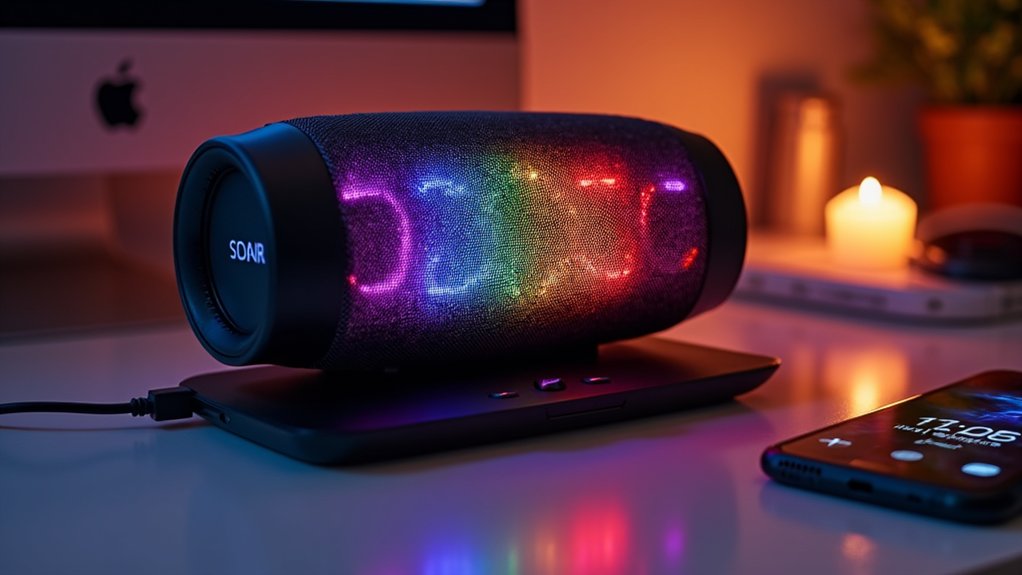
Charging your Soundcore Rave Party 2 speaker efficiently can make all the difference when planning your next gathering. Here’s what you need to know about charging time and duration:
- Full Charge: It takes about 5.5 hours with a 12V 2A adapter—perfect for that Netflix binge before the party starts!
- Playtime: Enjoy up to 16 hours of continuous music, depending on how loud you crank it—your neighbors mightn’t be as thrilled, though.
- DC Mode: Charging in DC mode at 5V 1.5A? Expect slower charging—like waiting for your coffee to brew!
Get that speaker charged and ready to rock!
Maintaining Battery Health
To keep your Soundcore Rave Party 2 speaker performing at its best, follow some essential battery maintenance tips.
Avoid charging with voltages higher than 12V 2A—your speaker isn’t a fan of overcharging! Aim for around 5.5 hours to fully recharge the battery.
Keep the charge level between 20% and 80% for ideal health; nobody likes being fully drained or constantly plugged in. Enjoy up to 16 hours of battery mode, but remember, loud jams can drain faster.
Finally, check battery performance regularly; after 1 to 3 years, it might just need a little pick-me-up with a replacement.
Happy jamming!
Troubleshooting Common Charging Issues
If you encounter issues with your Soundcore Rave Party 2 speaker not charging, start by ensuring you’re using the correct 12V DC power adapter designed for its battery.
Next, follow these steps:
- Check that the charging cable is snugly connected to both the speaker and the outlet—don’t let loose connections crash your party!
- Inspect the charging port for any debris or damage; a little dust can ruin your groove.
- If it’s still not charging, consider the age of the battery—it might be time for a replacement, not a retirement party!


